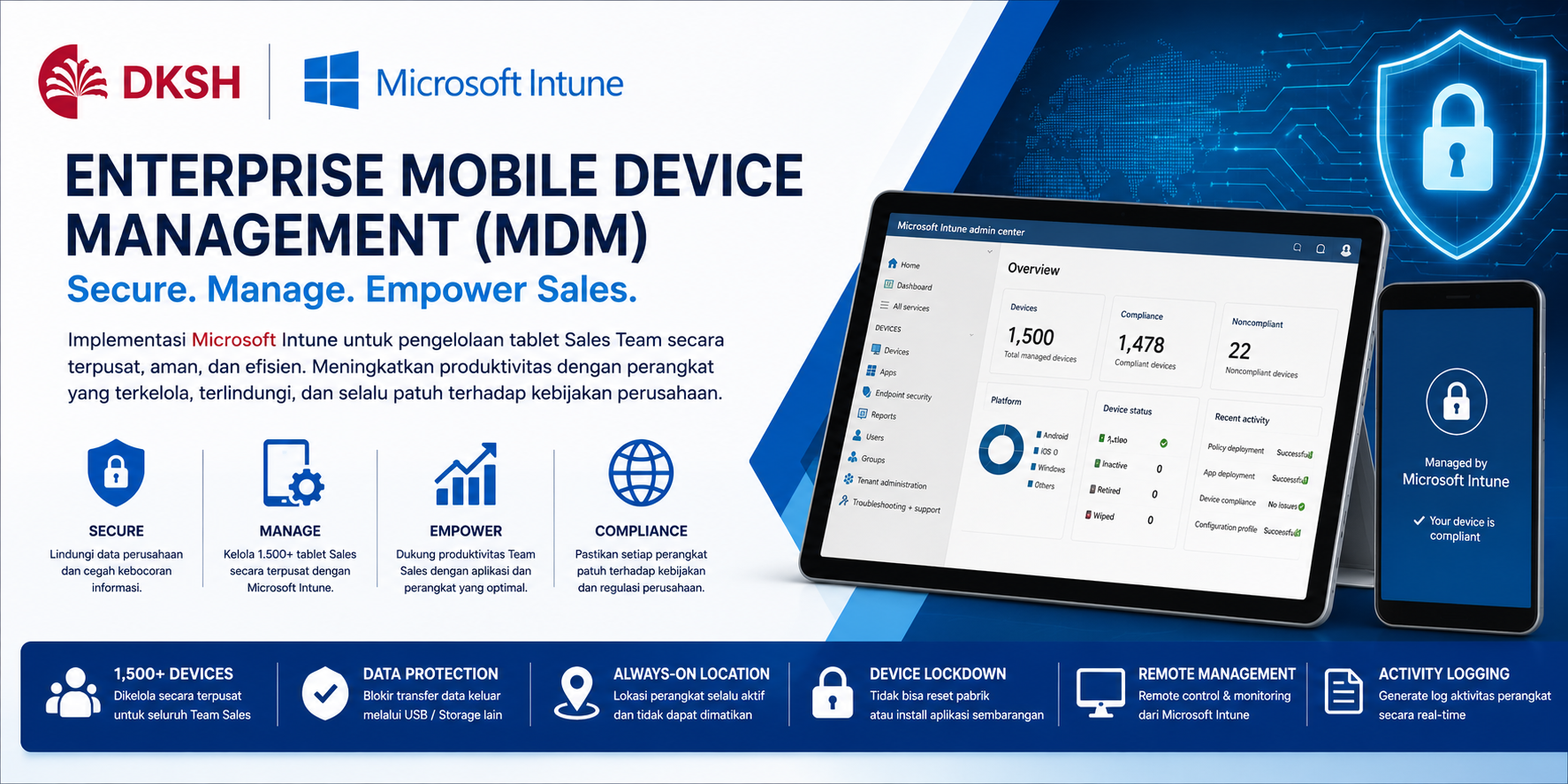
Enterprise MDM
using Microsoft Intune
Overview
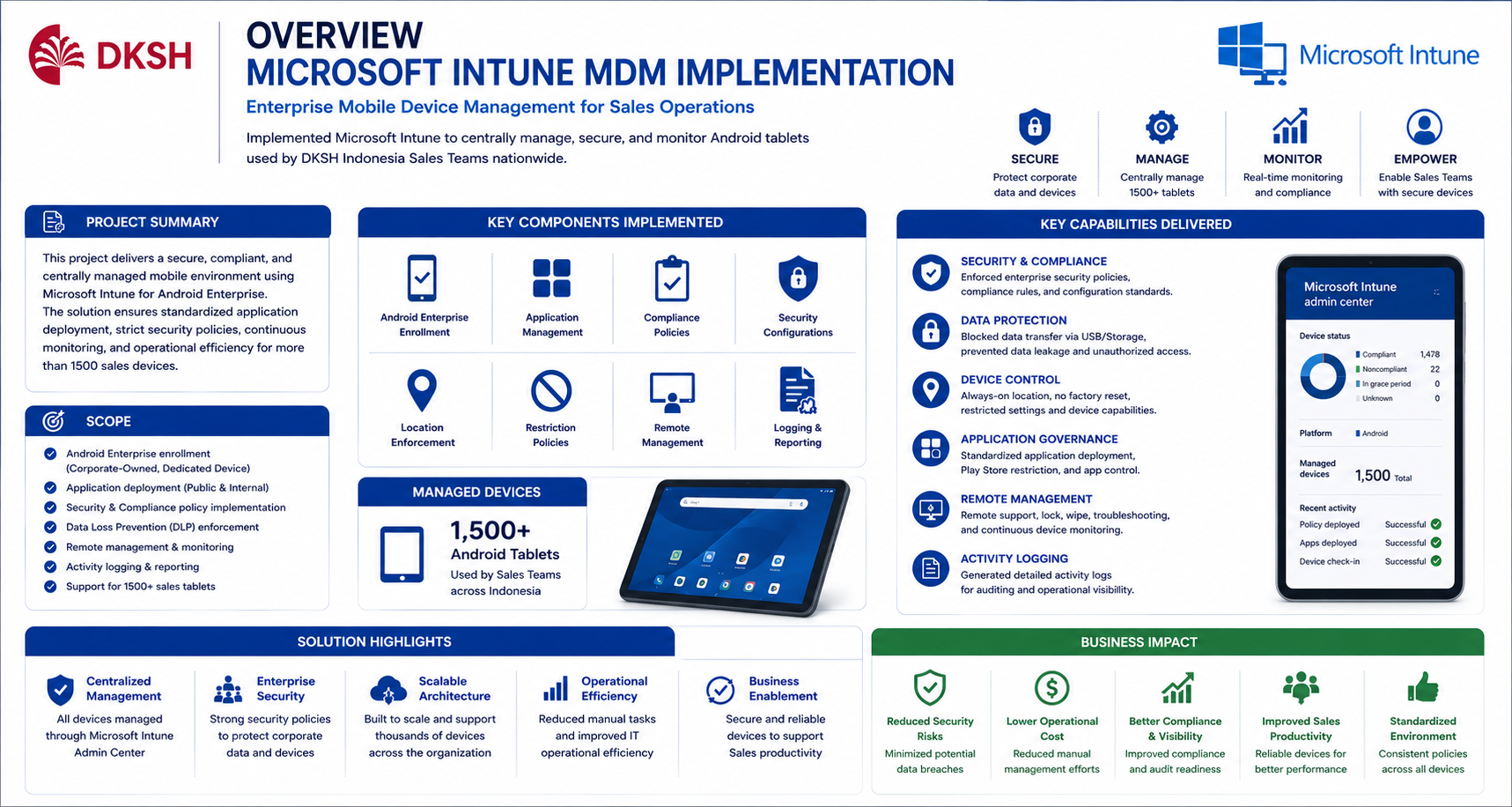
This project focused on implementing Enterprise Mobile Device Management (MDM) using Microsoft Intune to manage and secure Android tablets used by DKSH Indonesia Sales Teams nationwide.
The implementation covered approximately 1500 mobile devices distributed across operational sales users, requiring centralized device governance, enterprise security controls, standardized application deployment, compliance policy enforcement, and operational monitoring capabilities.
Microsoft Intune was implemented as a centralized endpoint management platform to support device enrollment, application provisioning, compliance monitoring, remote administration, security policy enforcement, and enterprise mobility governance.
The project included configuration for Android Enterprise enrollment, corporate-owned dedicated device provisioning, device restriction policies, data protection controls, Play Store application governance, endpoint monitoring, location enforcement, and centralized activity logging.
Security controls were implemented to prevent unauthorized application installation, block external storage transfers, disable factory reset capabilities, enforce continuous location availability, and ensure devices remained compliant with corporate security standards.
Enterprise application deployment included both public applications and internal corporate applications, grouped and distributed dynamically based on operational business requirements.
As Senior Specialist Digital Workplace, responsibilities included Microsoft Intune architecture planning, Android Enterprise configuration, policy design, endpoint security implementation, application governance, compliance management, remote administration, operational monitoring, and nationwide deployment support.
Role
Senior Specialist Digital Workplace
Project Type
Enterprise Mobile Device Management
Client
DKSH Indonesia
Project Challenge
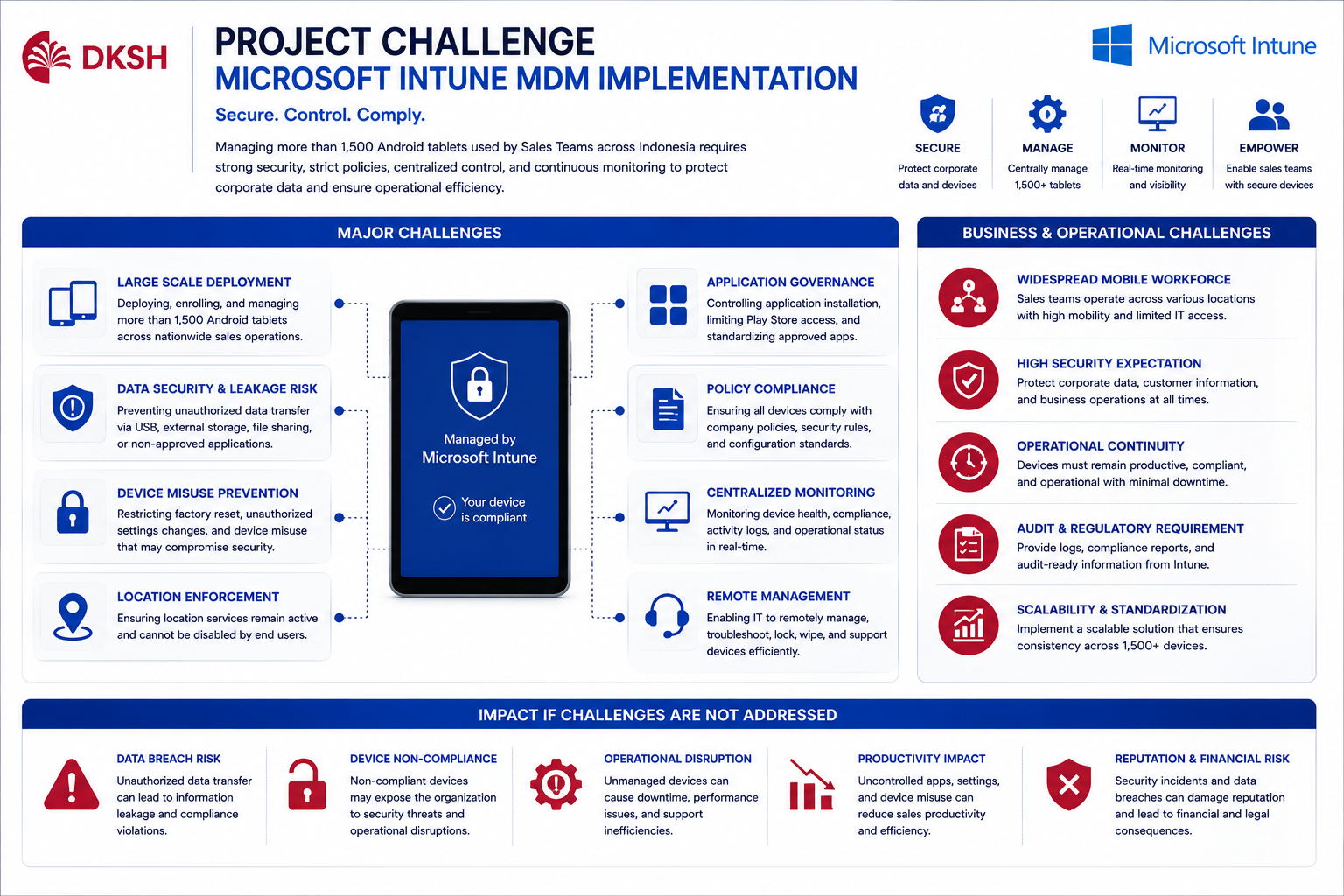
One of the biggest challenges during implementation was managing more than 1500 Android devices consistently across nationwide sales operations while maintaining security, compliance, operational stability, and centralized governance.
Since the devices were used outside office environments by mobile sales teams, strong endpoint security controls and continuous device monitoring became critical operational requirements.
Additional challenges included preventing corporate data leakage, restricting unauthorized application installation, controlling endpoint configurations, enforcing location visibility, and ensuring devices remained compliant with company policies at all times.
Devices also needed to remain centrally manageable, allowing IT administrators to remotely monitor, troubleshoot, lock, wipe, and generate activity logs through Microsoft Intune Admin Center.
The project required balancing endpoint security, operational usability, centralized governance, and user productivity without disrupting daily sales activities.
Large Scale Device Deployment
Managing and securing more than 1500 Android tablets across nationwide sales operations.
Data Loss Prevention
Preventing unauthorized data transfers through USB storage, external devices, and non-corporate applications.
Continuous Location Enforcement
Ensuring location services remained active and could not be disabled by end users.
Endpoint Governance
Restricting factory reset, unauthorized applications, and non-compliant device activities.
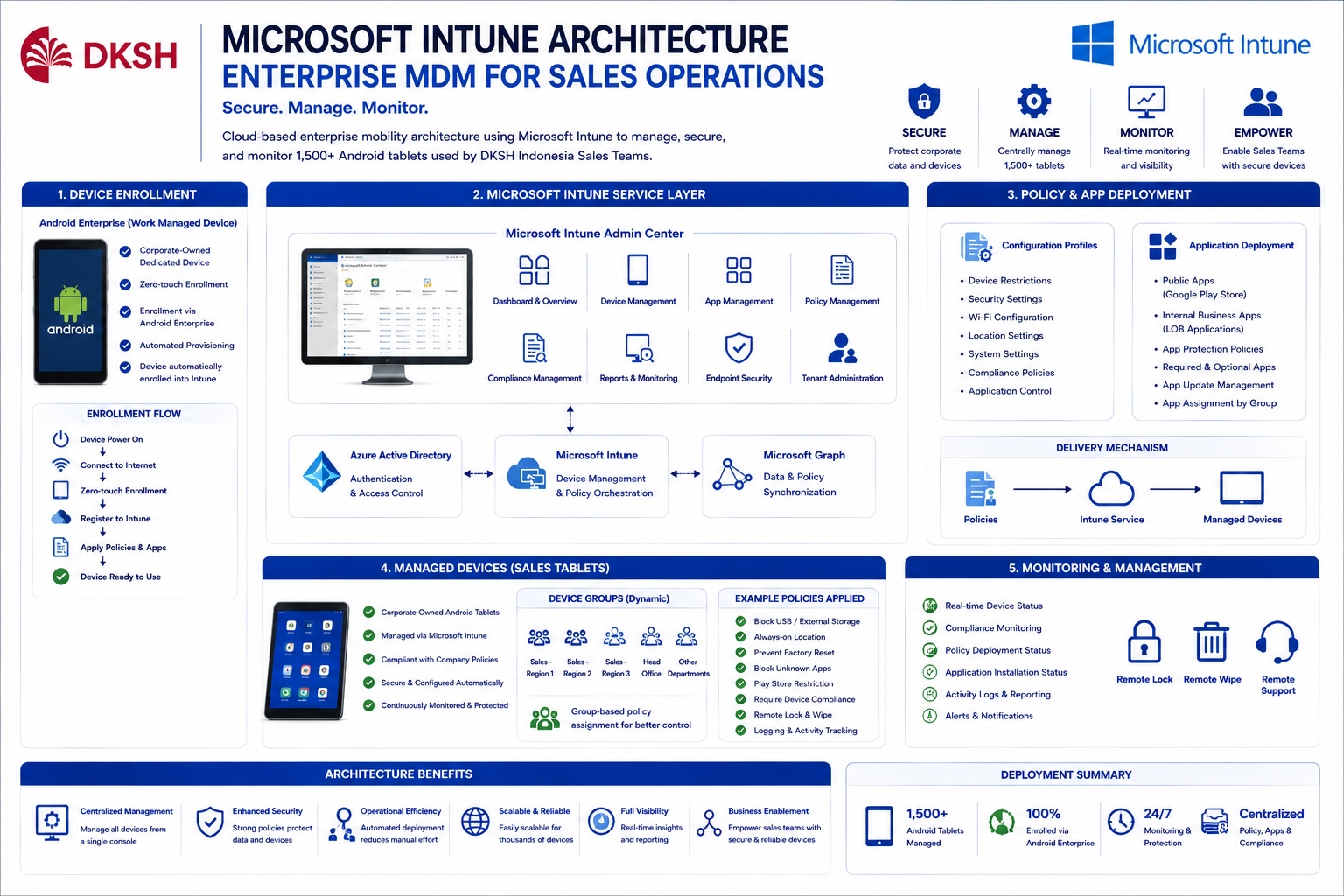
Microsoft Intune Architecture
Microsoft Intune architecture was implemented to provide centralized cloud-based endpoint management for enterprise Android devices used by operational sales teams nationwide.
Android Enterprise enrollment was configured using corporate-owned dedicated device mode to ensure devices remained fully managed under enterprise governance and compliance policies.
Device provisioning workflows included enrollment profiles, dynamic device grouping, configuration profile assignment, compliance policy enforcement, application deployment automation, and centralized monitoring capabilities.
Microsoft Intune Admin Center was used as the centralized management platform for monitoring device compliance, policy assignment, application distribution, remote troubleshooting, activity logging, and operational governance.
Cloud-Based Device Management
Microsoft Intune provided centralized cloud-native management for all enterprise mobile devices.
Dynamic Device Grouping
Devices and applications were grouped dynamically based on operational requirements and user roles.
Configuration Profiles
Configuration profiles controlled security restrictions, device settings, permissions, and enterprise standards.
Centralized Monitoring
Intune Admin Center enabled centralized compliance monitoring, device tracking, and operational visibility.
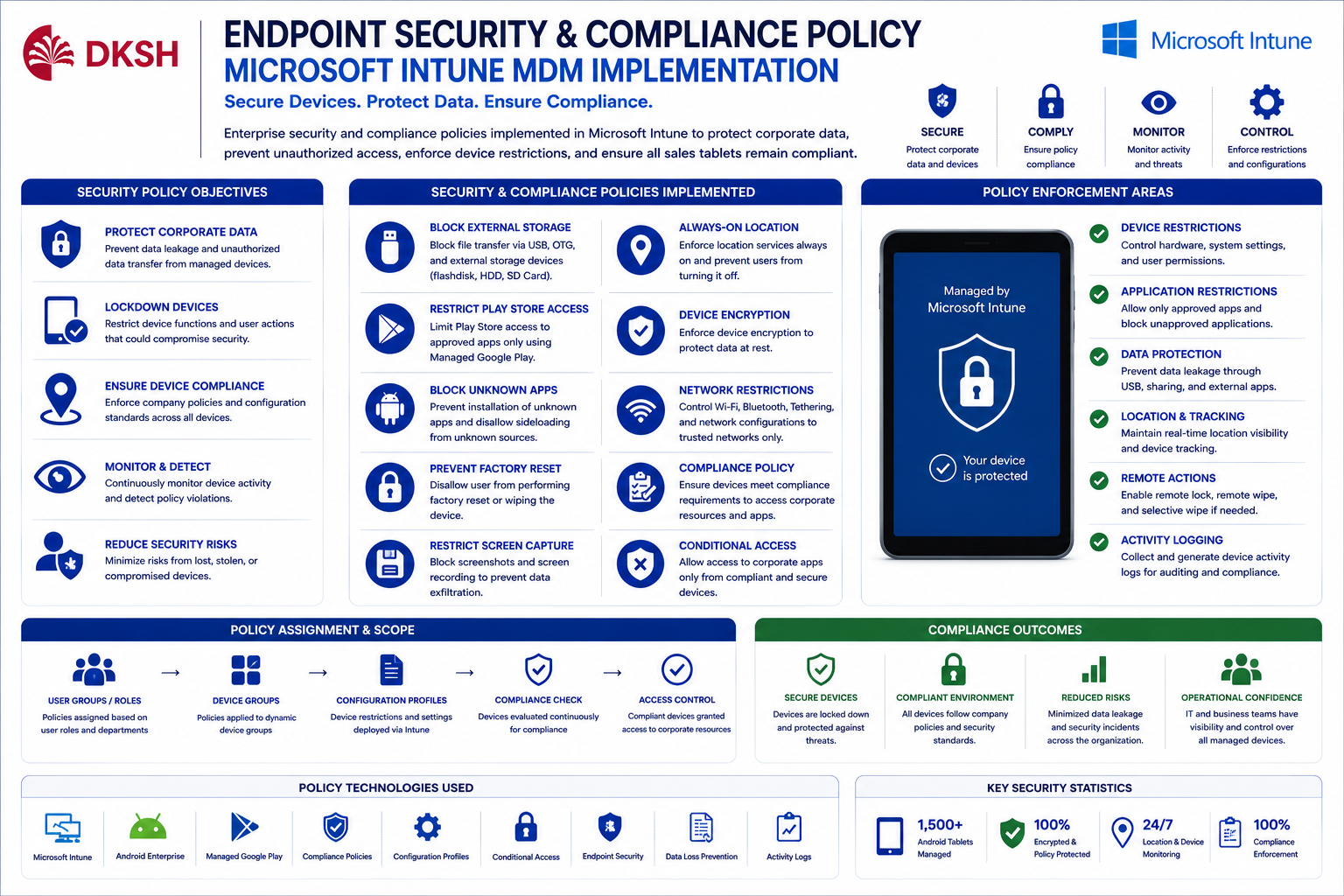
Endpoint Security & Compliance Policy
Enterprise endpoint security policies were implemented to protect corporate data, secure operational devices, and enforce compliance standards across all managed tablets.
Data Loss Prevention (DLP) controls were configured to block unauthorized data transfers through USB devices, flash storage, and external storage media.
Devices were restricted from installing unauthorized applications, disabling location services, performing factory reset operations, or bypassing enterprise security configurations.
Additional security configurations included:
- Blocking unknown application installation
- Restricting Play Store access using approved application lists
- Disabling USB file transfer capabilities
- Enforcing always-on location tracking
- Preventing device factory reset
- Restricting storage access permissions
- Enforcing compliance-based access policies
- Remote wipe and remote lock capabilities
Data Protection
Preventing unauthorized data movement and protecting enterprise information assets.
Unauthorized App Restriction
Restricting non-approved applications and enforcing enterprise application standards.
Device Tracking
Enforcing active location services for operational monitoring and device visibility.
Compliance Enforcement
Maintaining enterprise policy compliance across all managed devices continuously.
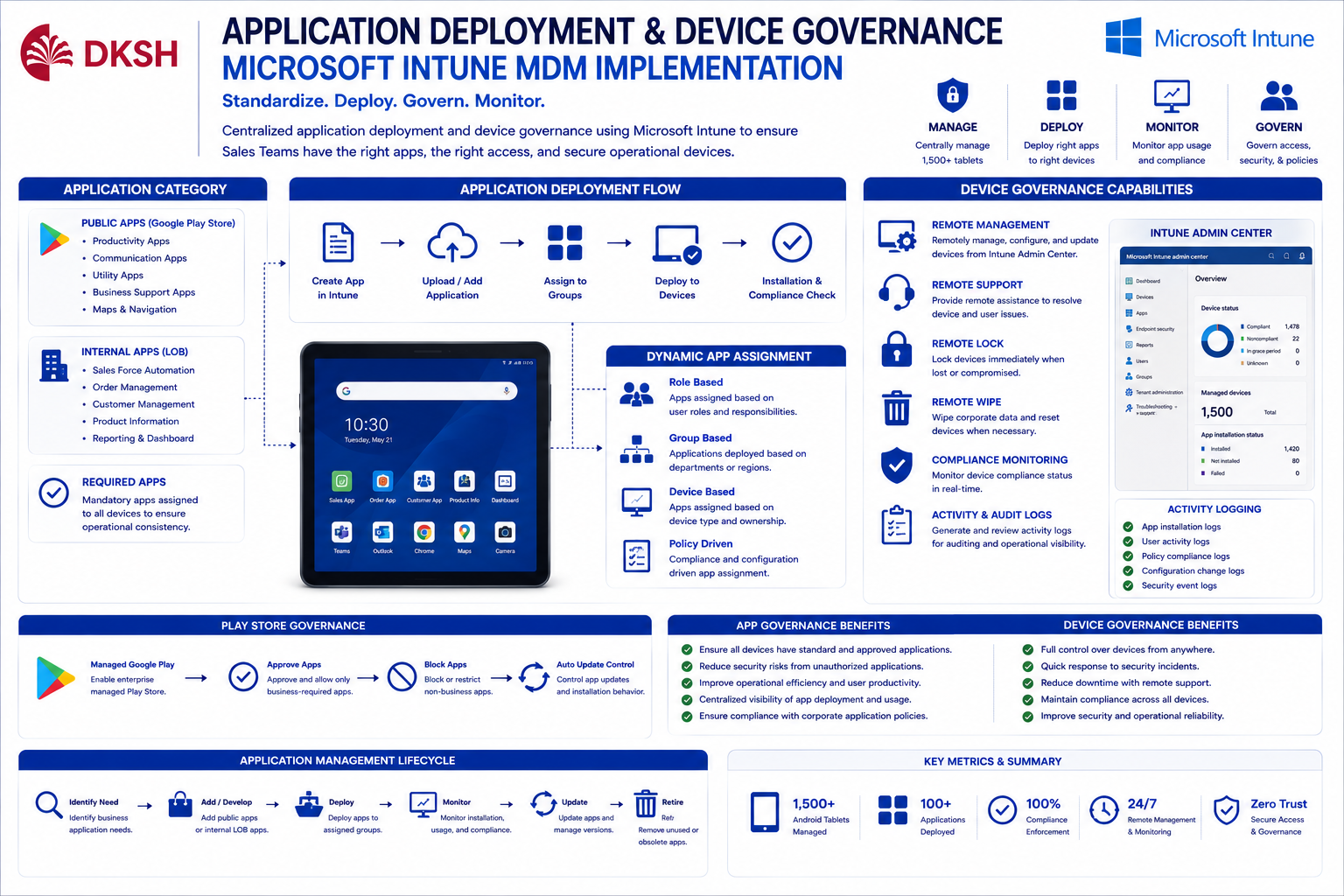
Application Deployment & Device Governance
Enterprise application governance was implemented to standardize operational applications, simplify deployment processes, and ensure all devices remained compliant with business operational requirements.
Application deployment included both public applications from Google Play Store and internal corporate applications distributed through Microsoft Intune.
Devices were assigned application groups dynamically based on operational roles, department requirements, and enterprise policy standards.
Centralized governance also allowed administrators to remotely:
- Deploy and remove applications remotely
- Generate activity and compliance logs
- Monitor application installation status
- Troubleshoot endpoint issues remotely
- Lock or wipe compromised devices
- Monitor user compliance activities
Standardized App Deployment
Delivering consistent application packages across all enterprise sales devices.
Play Store Governance
Restricting Play Store access using approved enterprise application policies.
Remote Administration
Providing centralized remote support, troubleshooting, and operational device management.
Activity Logging
Generating centralized logs for compliance monitoring and operational auditing purposes.
Solutions
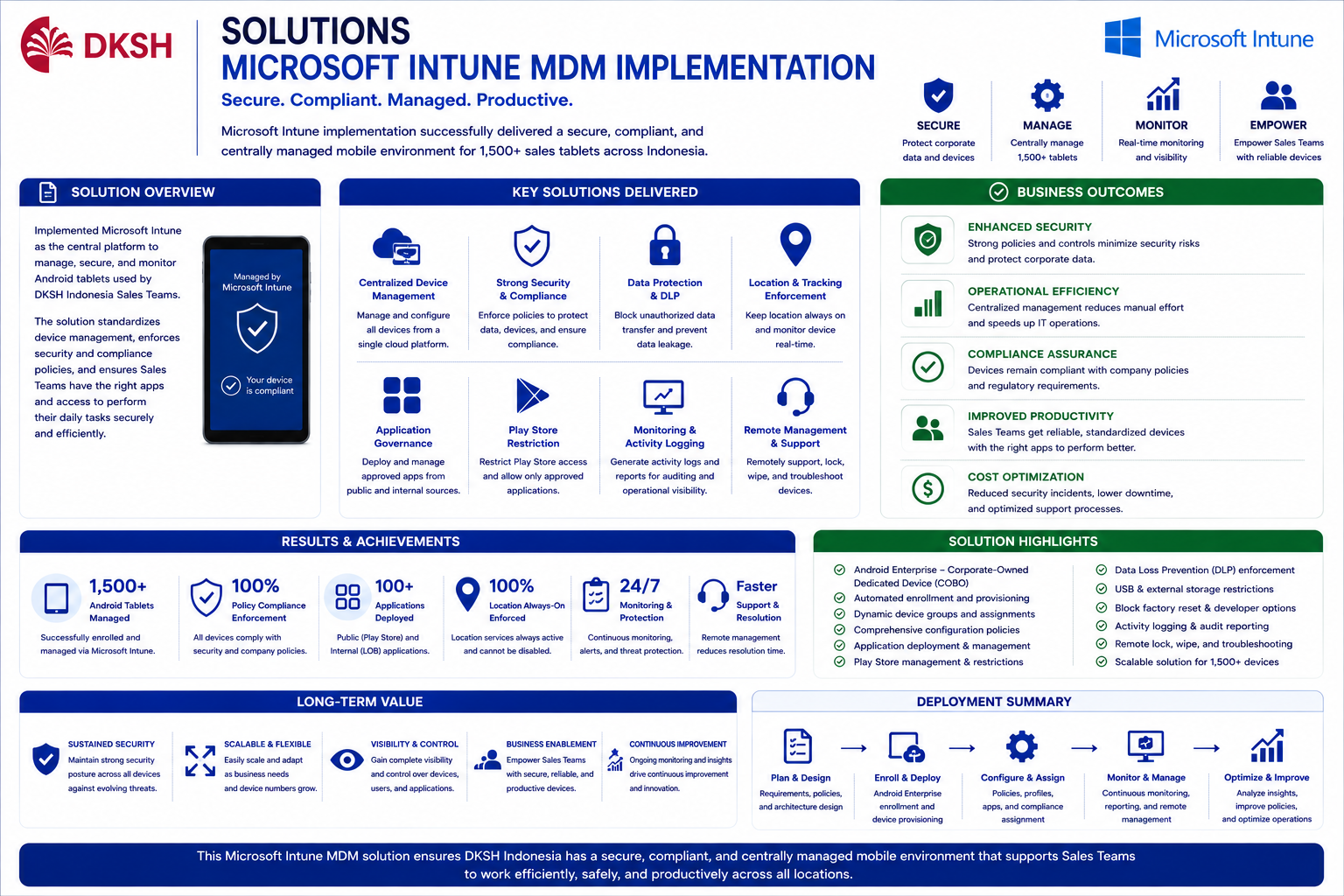
The Microsoft Intune implementation successfully established centralized enterprise endpoint governance for all operational sales devices nationwide.
Standardized enrollment processes, compliance enforcement, application governance, and security configurations significantly improved operational control, endpoint visibility, and enterprise mobility security.
Centralized device management simplified deployment, troubleshooting, compliance monitoring, and operational support while reducing manual administration activities.
Enterprise security controls successfully minimized risks related to:
- Corporate data leakage
- Unauthorized application installation
- Device misuse
- Non-compliant endpoint activities
- Lost or compromised devices
Secure Enterprise Mobility
Enterprise security controls improved operational endpoint protection and compliance governance.
Centralized Device Governance
Microsoft Intune simplified centralized administration for all operational devices.
Operational Visibility
Real-time monitoring and reporting improved compliance visibility and endpoint operational control.
Reduced Security Risks
Strong policy enforcement minimized endpoint security vulnerabilities and operational risks.